
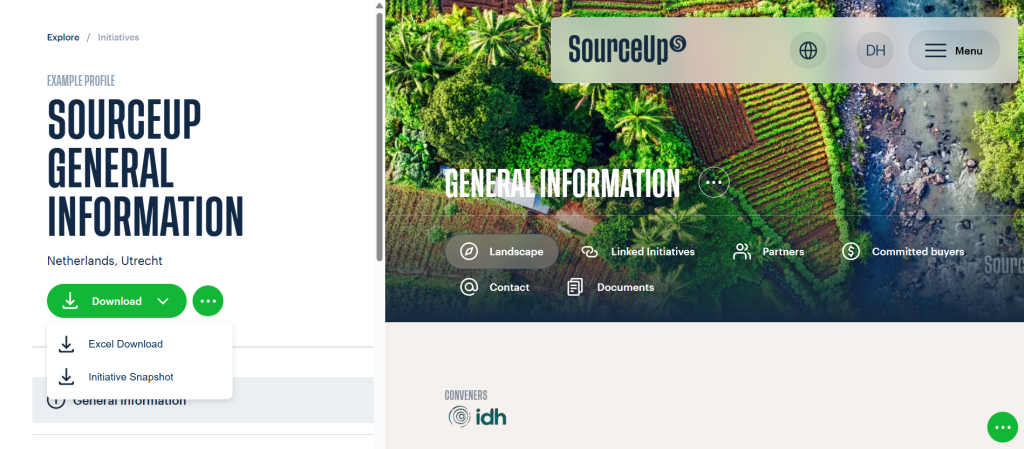
This story is related to the landscape initiative “Sourceup General Information”, and originally published on SourceUp.
Two SourceUp tools that facilitate landscape data analysis and communication
In agri-commodity supply chains, landscape-level engagement decisions rarely sit with one single team. Responsible sourcing, sustainability, legal, communications, and reporting functions often need the same information quickly, in a format that can be shared internally or externally. Similarly, companies supporting several landscape initiatives often wish to compare data points across landscapes to identify patterns, gaps, or opportunities. SourceUp now offers two downloads to support these aims: a one-page Initiative Snapshot and a consolidated Excel export of landscape initiatives’ reported data.
These downloads can be accessed by companies with a free Buyer profile on SourceUp, which enables them to track the landscape initiatives they support. Currently, over 150 companies have a Buyer profile on the platform.
Initiative Snapshot (one-page PDF export)
The Initiative Snapshot is a concise, visual PDF overview of a landscape initiative. It includes key elements such as location, conveners, commodities, goals, investment opportunities, landscape maturity, partners, and contacts.
It can be used by companies to share key information about the initiatives they support (or plan to support) with colleagues, potential partners, or at key events.
Who it’s for
Sustainability and responsible sourcing teams preparing internal briefs
Finance and legal teams who require a concise overview
Communications and stakeholder management teams preparing internal updates and external narratives
Decision-makers looking to get a glance at investment opportunities at the landscape-level
Excel download of supported initiatives
SourceUp’s Excel download functionality gathers all data from initiatives on SourceUp into an Excel file, making reporting and analysis easier than ever. Companies can download either an Excel file for a single supported initiative, or a consolidated Excel covering all supported initiatives in their portfolio. In both cases, they can choose which sections of the profile they want to download, including progress reporting, landscape maturity, partners, investment opportunities, and commodities.
How it helps companies
- Speed and consistency: The file’s clearly structured fields reduce manual copy-paste and improve interpretation across teams.
- Portfolio oversight: A portfolio-level file supports internal tracking of supported initiatives.
- Reporting: The exported initiative data can be used for internal reporting, particularly where initiatives report goals and indicators within SourceUp’s Progress Reporting module.
- Cross-initiative analysis: Companies can create pivot tables for deeper data analysis of several landscapes.
Where to find the Initiative Snapshot and Excel download
Log into Sourceup, find an initiative and select Download → Initiative Snapshot or Excel download to automatically download the document.
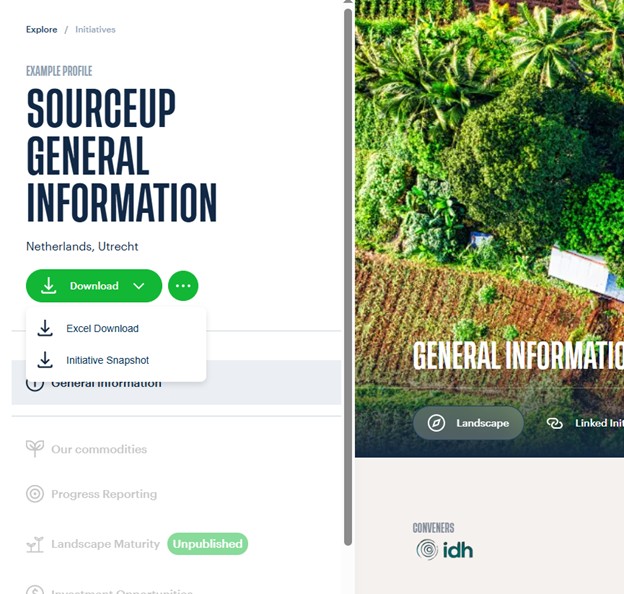
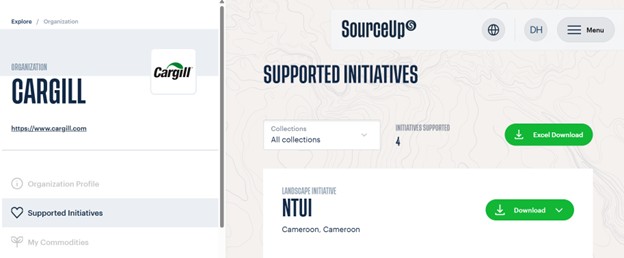
Alternatively, enter your Buyer profile, go to Supported Initiatives and select Download → Initiative Snapshot or Excel download. To download the Excel file with multiple initiatives, click on the “Excel Download” button at the top of the page.
For corporate teams managing multiple landscapes or considering landscape-level engagement, these exports are powerful tools for alignment, communication and reporting.
Companies interested in creating a Buyer profile can contact the SourceUp team at info@sourceup.org.